HELM
The Helm Blog
Insights on nervous system regulation, mental clarity, and the science of optimal performance.
HELM
HELM
HELM
HELM
HELM
HELM
Insights on nervous system regulation, mental clarity, and the science of optimal performance.
Helm is the #1 app to optimize your mind, breathe better, and master your focus. Combine science-backed breathwork and meditation into your daily protocol to build resilience.
How to recover from screen fatigue naturally starts with a short shift in what your eyes and nervous system are doing. Step away from the screen, look at something far away, blink slowly, unclench your jaw, and lengthen your exhale for 5 to 10 minutes. That combination usually reduces eye strain and brain fog faster than trying to power through.
Most screen fatigue is not just an eye problem. It is a mix of near-focus overload, reduced blinking, shallow breathing, and static posture. The American Optometric Association notes that digital eye strain can include dry eyes, blurred vision, headaches, and neck or shoulder pain. When you recover naturally, it helps to treat the whole system, not only the eyes.
Your visual system likes variation, but screens ask for the opposite. You stare at one distance, often in bright, high-contrast light, while moving very little. The American Academy of Ophthalmology recommends the 20-20-20 rule for a reason. Distance changes reset the eyes and help interrupt the narrow, locked-in attention state that screens can create.
There is also a body cost. When you are working hard on a screen, your shoulders creep up, your jaw tightens, and your breath often shifts higher into the chest. Static effort drains attention. After a few hours, your system can feel tense, flat, and restless at the same time, which is why more scrolling or another cup of coffee often makes fatigue feel worse, not better.
Many people miss screen fatigue because it does not always feel dramatic. It often shows up as a cluster of small symptoms that slowly pile up until concentration drops. Low-grade overload is easy to mistake for laziness, irritability, or a need for more stimulation.
Common signs include:
If two or more of those show up together, treat it as a recovery cue, not a character flaw. Screen fatigue often masquerades as low motivation. In reality, your eyes, neck, and attention have been locked into the same task state for too long.
The best reset is simple enough that you will actually do it between work blocks, after video calls, or at the end of the day. Short, stacked recovery usually works better than waiting until you are completely drained.
That routine works because it interrupts the four main inputs driving screen fatigue: near focus, low blink rate, shallow breathing, and stillness. Recovery is faster when you stack small resets instead of waiting until you feel wrecked.
Natural recovery gets easier when your setup stops recreating the problem every hour. The CDC's ergonomics guidance supports simple adjustments that reduce neck load and visual effort.
Night matters too. If your eyes feel gritty and your mind feels buzzy after work, a slower digital ramp-down can help you recover by bedtime. These evening phone habits that support better sleep pair well with a post-screen reset, especially when screen fatigue spills into wired but tired evenings.
Sometimes screen fatigue is amplified by another issue. Persistent blurred vision, frequent migraines, new light sensitivity, dizziness, or the feeling that one eye works harder than the other deserves attention from a qualified clinician. You may need a vision check, better dry eye care, or changes to medication, hydration, or sleep. If symptoms keep returning even after breaks and setup changes, do not assume it is normal just because you work on a device.
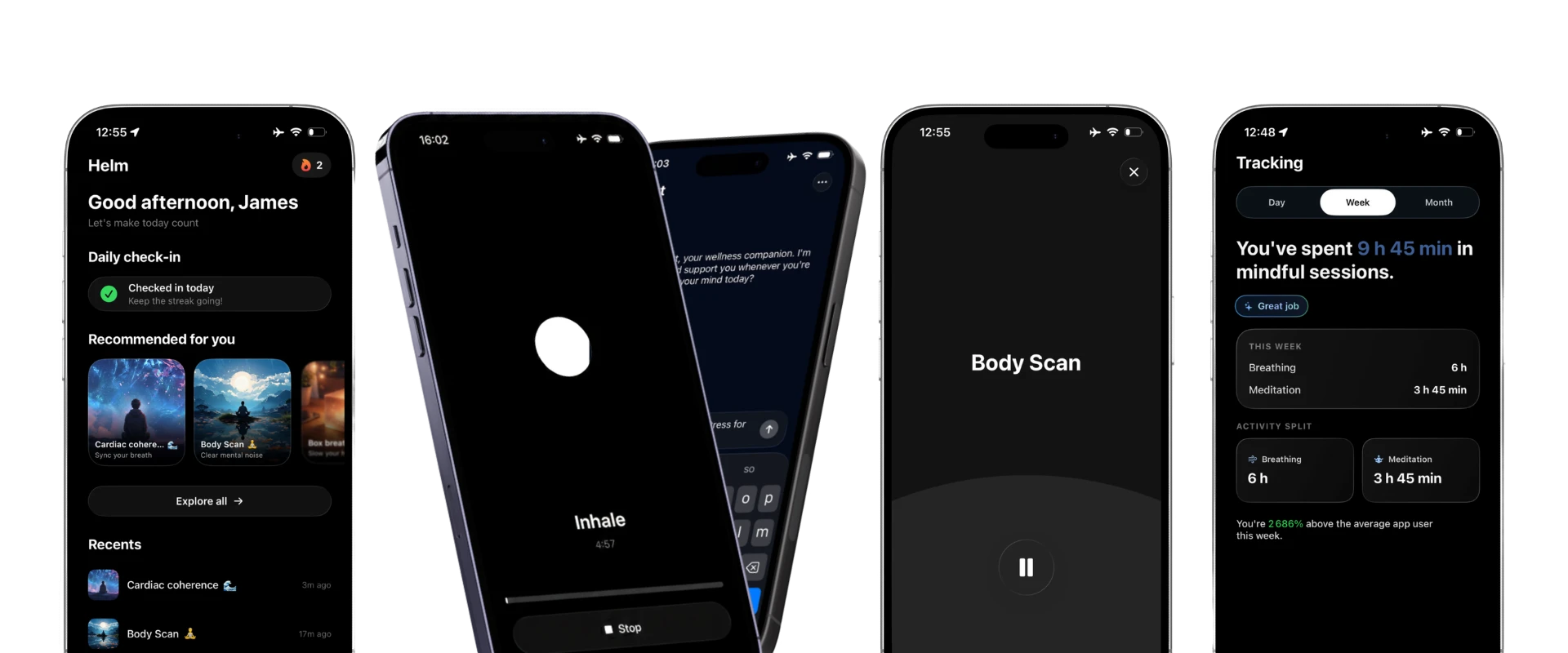
Recovering naturally from screen fatigue is less about finding one perfect hack and more about changing state on purpose. When you vary distance, restore blink rate, lengthen the exhale, and move the body, the eyes and brain stop fighting the same fixed demand. The best time to reset is before your concentration fully collapses. A few minutes between tasks often works better than one long recovery after you are already depleted. Treat screen fatigue as information, not weakness. It usually means your visual system and nervous system need variety, space, and a gentler landing. If you want guided breathing structure for post-screen resets, Helm can help you manage stress and improve focus.
For most people, 5 to 10 minutes helps noticeably. If your eyes are very dry or your neck is tight, you may need several short resets across the day, not one long break.
Yes, it can help. Looking 20 feet away for 20 seconds every 20 minutes changes focal distance and reminds you to blink, which reduces visual strain for many people.
Because screen fatigue is not only visual. Fast information, shallow breathing, poor posture, and constant task-switching can keep your body in a low-level alert state even when your mind feels exhausted.
Yes, it often can. Reduced blinking, squinting, forward-head posture, and fixed concentration can strain the eyes and upper body at the same time.
Ten minutes a day to feel calmer, sleep better, and stay sharp.